Features

Everything your preparation needs

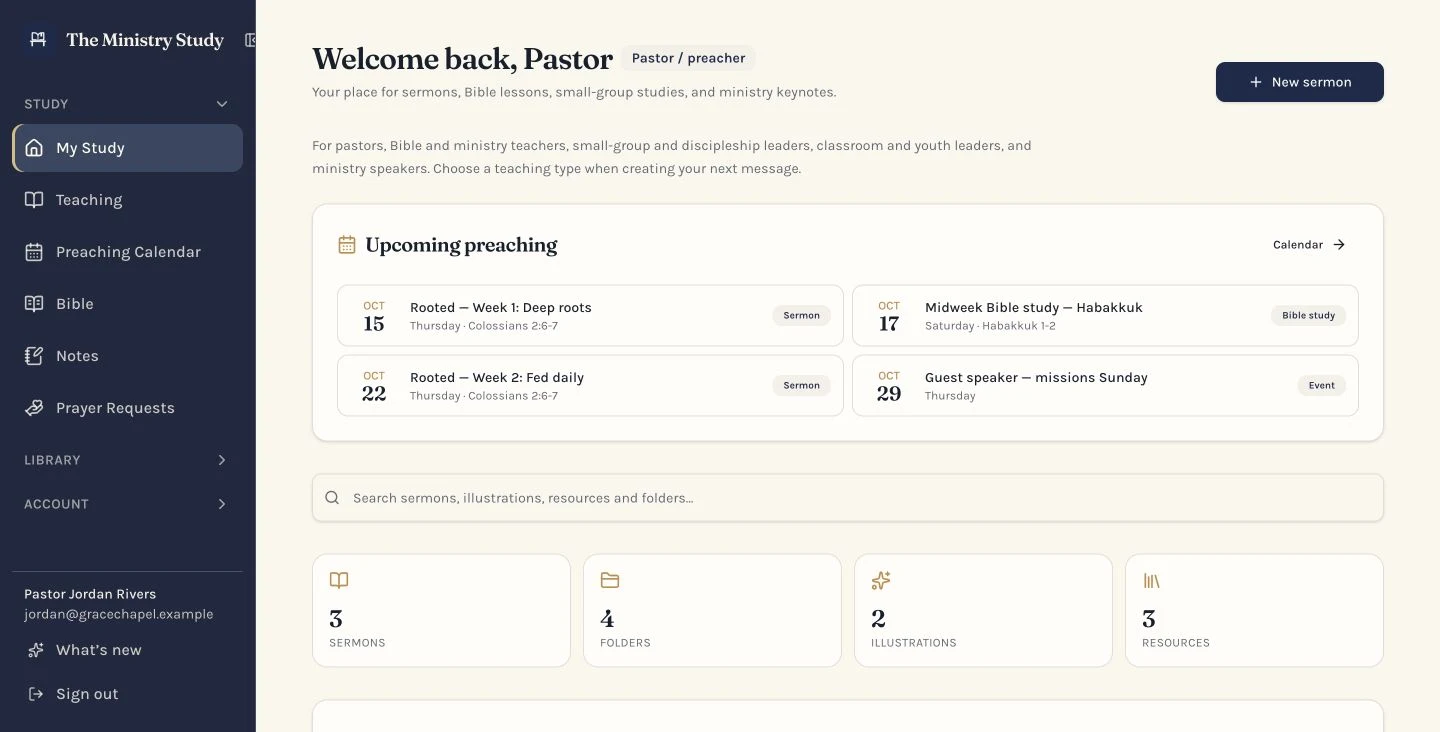
A complete workflow for the teaching week — from the first note to the manuscript in front of you, whether you preach, teach or lead a group.

Built around how you lead

After you sign up, pick your role in Settings. It sets the wording, the starter structures you're offered and the default type for anything new you write — and you can change it any time in Settings, even after you start writing.

  • Pastor / preacher

    You mostly write sermons for a congregation.

  • Bible teacher

    You mostly write study lessons for a group.

  • Small group leader

    You lead discussion in a home or small group.

  • Classroom instructor

    You teach in a school, Sunday school or classroom.

  • Speaker / conference host

    You mostly prepare keynotes and event talks.

Every feature below is live in the app today, except where noted. The plan label on each feature shows the plan you need to use it.

Write

Pro & Church

Two Bible translations — KJV & WEB

Study Scripture without leaving your study. Read the King James Version (KJV) and the World English Bible (WEB), switch translations without losing your place, jump to a reference like John 3:16, and search the whole Bible for a word or phrase. Send any passage straight into a teaching, your notes or Preach Mode.

Pro & Church

Bible highlighting, bookmarks and verse comments

Mark up Scripture the way you would a study Bible. Highlight verses in ten colours, bookmark the chapters you keep returning to, and keep as many separate comments on a single verse as you need. Everything is private to your account and waiting the next time you open that chapter.

Pro & Church

My Comments — all your Scripture notes in one place

A dedicated tab in the Bible that gathers every comment you have written on Scripture. Search by word or reference, filter by book, sort by newest or oldest, edit or delete a comment, open the passage it belongs to, or drop it straight into a teaching.

All plans

Manuscript editor

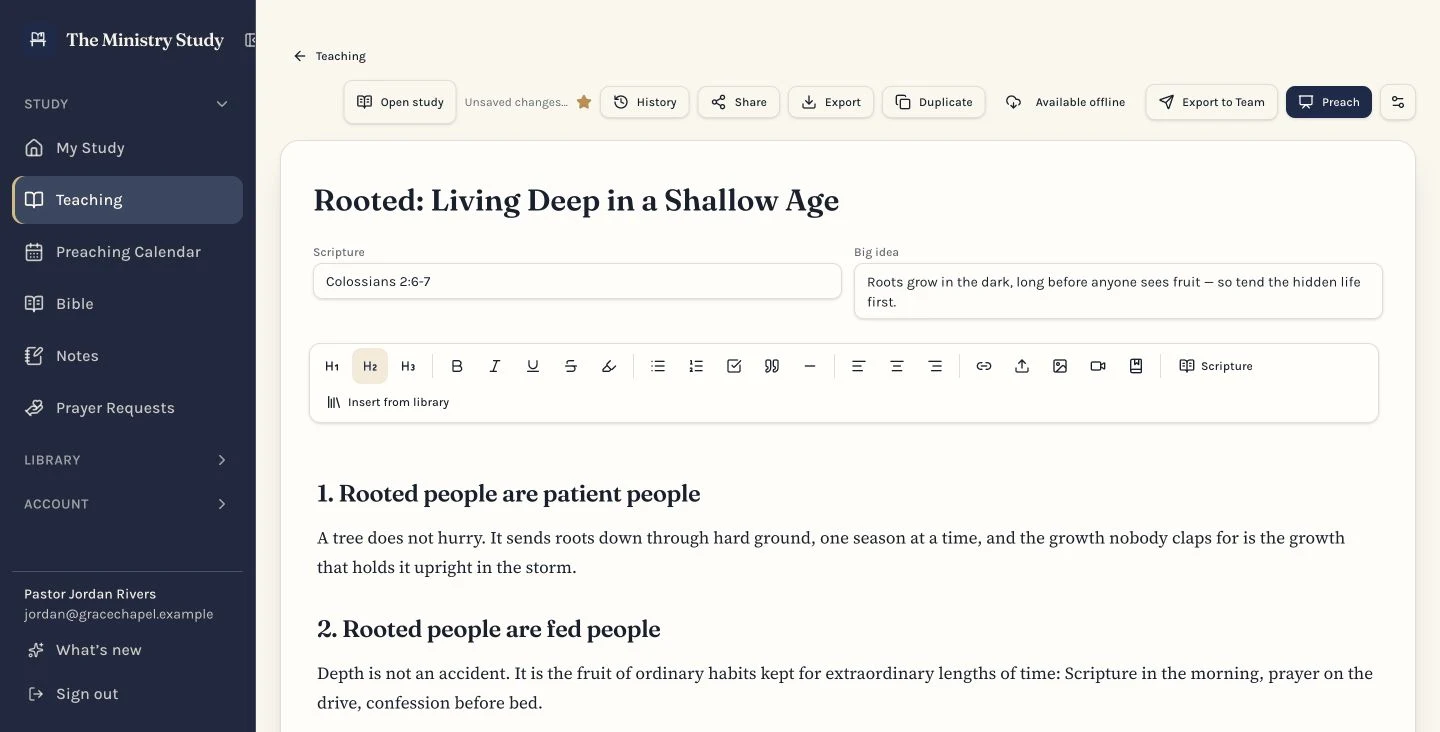
Headings, lists, quotes, Scripture references, images and video embeds in a calm, distraction-free page — with autosave running quietly underneath.

All plans

Manuscript highlighting

Mark up your manuscript in six colours so key lines, quotes and Scripture stand out while you write and while you preach. Change a highlight's colour any time or clear it in one click. The colours carry through to print, PDF, Word and Preach Mode.

Pro & Church

Image uploads

Drop or paste an image straight into the manuscript — no links or third-party hosting required.

Pro & Church

Teaching templates

Start a new sermon, Bible study or lesson from a ready-made expository, topical or narrative structure so the blank page is never really blank.

Pro & Church

Version history

Automatic snapshots as you write. Restore any earlier state of the manuscript without losing the current one.

Pro & Church

Voice dictation

Capture your thoughts without stopping to type. Dictate straight into your notes from your phone, tablet or computer — the text is added to whatever you have already written.

Organize

All plans

Folders, tags and favorites

Group by series, season, text or topic. Teachings, Notes and Resources each get their own separate folder system, so a sermon series never clutters your library shelves. Star what you reach for most and keep years of preaching tidy.

Pro & Church

Nested sub-folders

Build folders inside folders for series, campuses or teaching tracks as your archive grows.

All plans

Illustration library

Capture a story the day you hear it, refine it over time, and drop a copy into any sermon that needs it.

All plans

Resource library

Quotes, links, books, statistics and research saved once and insertable without leaving the editor.

Pro & Church

Upload your own resource files

Add PDFs, Word documents, text, Markdown, HTML and ePub files you own or have permission to use — up to 50 MB each. Files stay private to your study, open through secure short-lived links, and duplicates are caught before you save them twice.

Pro & Church

Storage that grows with your plan

Pro includes 10 GB and Church 50 GB of resource storage for the whole team, with a storage meter on the Resources page. Extra storage packs (5, 25, 100 or 250 GB) can be bought monthly or as a one-time purchase from the Resources page. You stay responsible for the copyright of anything you upload.

Pro & Church

Notes and prayer requests

Jot down sermon ideas to develop later and keep a private log of prayer requests alongside your study.

All plans

Search everything

One search box across teaching, illustrations and resources — find that line you wrote three years ago.

Preach

All plans

Preaching mode

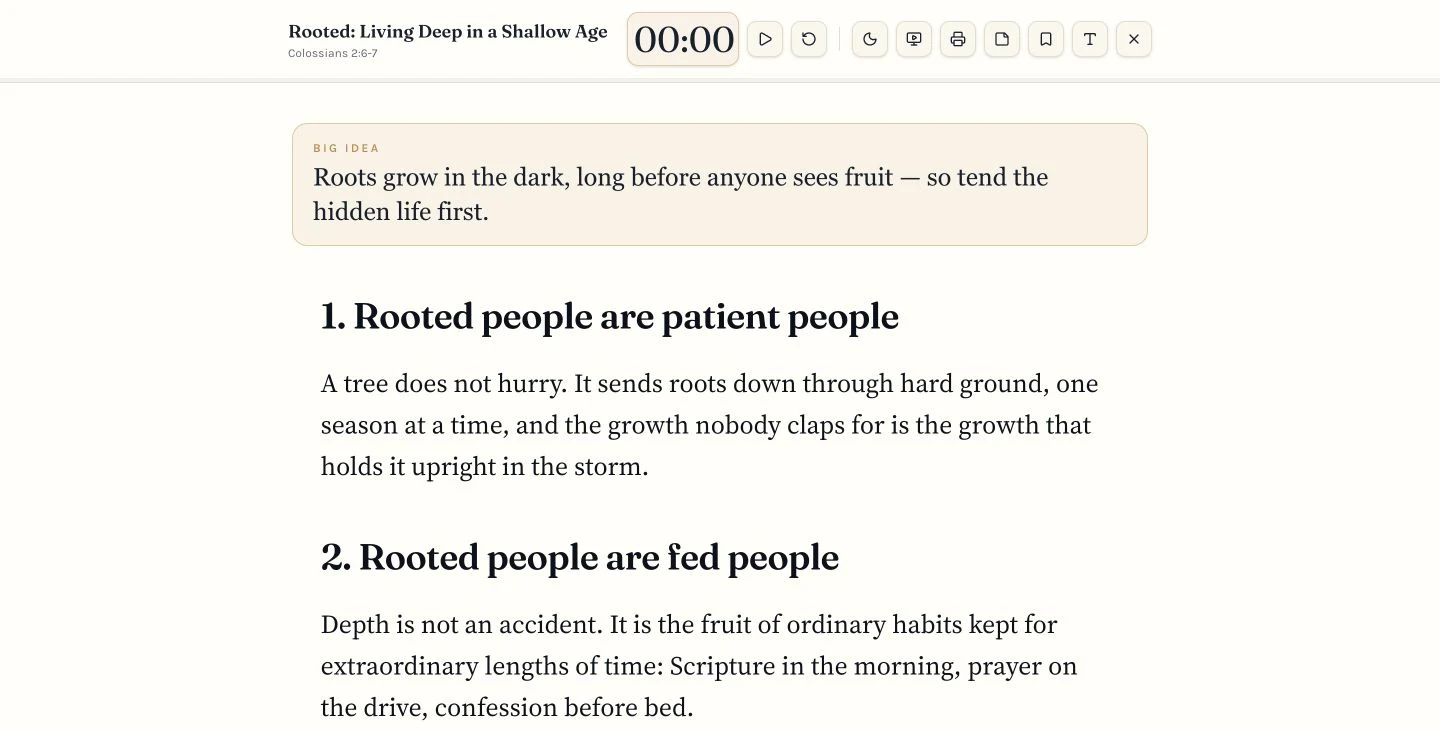
Large, high-contrast type with adjustable size and line spacing, light or dark, a Big Idea that follows you as you scroll, and bookmarks that jump you straight back to key sections.

All plans

Offline Preach Mode

Download a teaching while you have signal and preach it with no internet at all — manuscript, Scripture, images, presenter notes and the timer, all stored on your device and synced back when you reconnect.

All plans

Timer with 10 and 5 minute alerts

Set your window, start with the spacebar, and get a quiet chime and banner at the ten and five minute marks.

Pro & Church

Presenter notes

A private notes panel beside the manuscript that stays on your screen and never reaches the projector.

Pro & Church

Print, PDF and Word

Printer-friendly pulpit pages with clean breaks, plus PDF and .docx export with illustrations and resources included.

Pro & Church

Export to Team

Send your Big Idea and main points to your media or ministry team. Tick the resources and illustrations to include, read the exact share preview your team will receive, then send. Each user sets their own team email address.

Share your work

Pro & Church

Share with another ministry leader

Send a teaching, note, prayer request or resource to another Ministry Study account by email. You choose the permission — view only, view plus preach and download, or can edit — and the app hides whatever the recipient is not allowed to do. Ownership never moves, access can end on a date you pick, and any share can be revoked instantly.

Pro & Church

Shareable links

Create an "anyone with the link" address for one item, choose view only or view and download, give it an end date, see how many times it has been opened, and switch it off with Revoke link. Links open a clean, read-only page — your presenter notes are never included.

Church

Shared Church Workspace

Up to 25 members, each with a private study of their own, plus a shared space for teaching, illustrations, resources and folders.

Church

Permissions and admin roles

Choose can-view or can-edit sharing per item, assign church admins, and manage the team from one screen.

Church

Email invitations and seat tracking

Invite team members by email and see exactly how many of your 25 seats are in use.

All plans

Invite & Earn referral rewards

Share your personal invite link from your desk. When someone you invite becomes a paid subscriber you get 25% off your plan for as long as they stay subscribed, and three active paid referrals make your own plan free. If someone you invite buys a Lifetime plan you get 15% off your renewals instead. Rewards are worked out from real subscriptions and applied to your next invoice automatically. An Invite & Earn page in your account lists everyone who joined with your link, which of them qualify, and your current discount, and we email you when a referral becomes a paid subscriber or your discount tier changes.

Protect

All plans

Founding 25 — free Pro access for our first 25 users

The first 25 accounts in The Ministry Study receive Pro free as founding members. Spots are assigned by sign-up date, capped at exactly 25, and shown on a live counter. Founding members are never charged and never start a subscription; we ask them to help spread the word and to use their desk at least once every 7 days so unused spots go to someone who will use them. An administrator can extend an individual member’s window by hand (with an internal reason note) when they genuinely could not sign in — travel, holiday or hospital — so nobody loses a spot unfairly. Founding access survives one cancelled paid subscription; a second cancellation permanently ends the founding benefit, and that account pays the current Pro price if it subscribes again. Admins can see each member's cancellation history.

Coming soon

Google Drive backup

Automatic Drive sync is on the way. For now you can download any teaching, folder, illustration or resource list as a Word or CSV file whenever you like.

All plans

Private by design

Every teaching, folder, illustration and resource is locked to your account. Account support never requires access to your content.

See how these features are grouped by plan on the pricing page.

See the Resource Library in action

Walk through a sample library of commentaries, books and study notes, and see exactly what the upload workflow, Scripture-reference search and storage limits look like — no account required.

View the Resources demo

Free to start. Yours to keep.

Create an account and write your next sermon today — no credit card, no AI, no noise.

Start writing free